
Each event can ask for any of these demographics when selling tickets online. The collected information from each ticket will be available in your online reports and analytics.
About Demographic Questions #
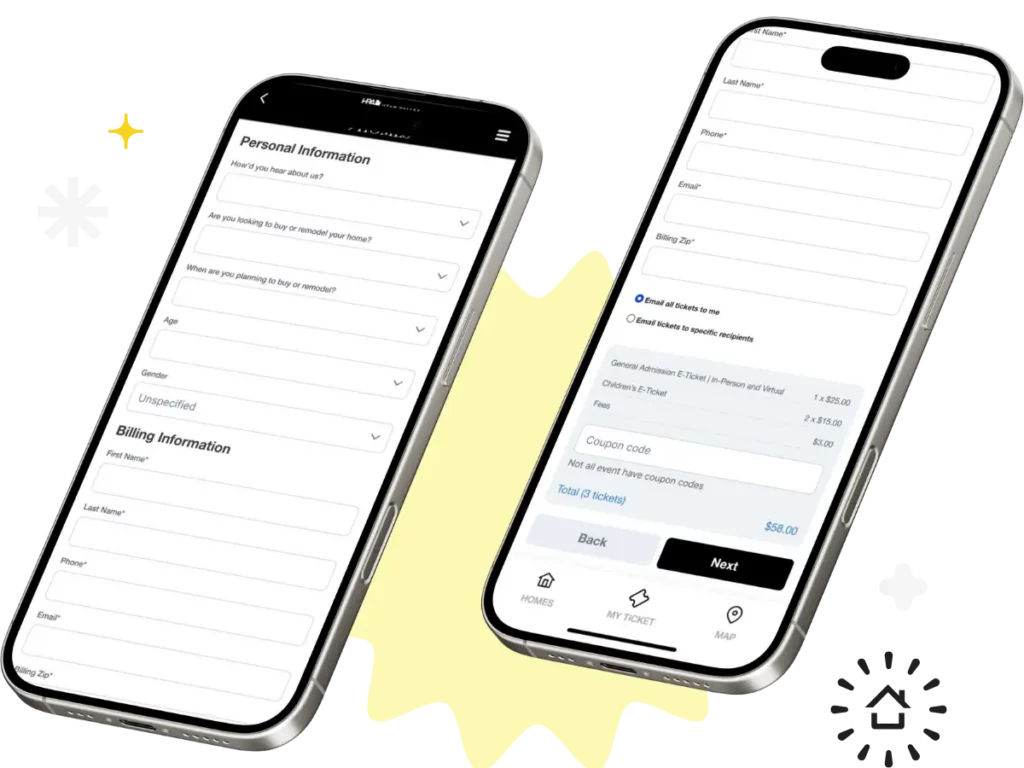
When someone buys a ticket to your Parade of Homes event, it’s a perfect opportunity to learn more about your audience. Asking the right questions on your ticketing form can give you valuable insights—not only for marketing but also for builder engagement, sponsorship reporting, and planning future events.
Once installed by ParadeSmart, the questions will show up in the online ticket purchase form. This includes the form in your website, inside your app and within the manager admin.
Visit this blog post for more tips and insights.
Question Options #
We have a library of questions for each client to choose from. The question can be phrased however you prefer.
- first name
- last name
- postal code / zip code
- phone
- gender
- newsletter
- age
- household income
- occupation
- own home
- future plans
- when
- referrer
- receive emails
- spouse name
Adding Questions #
All Ticket Demographic Questions must be installed by a ParadeSmart team member. To add a question or make changes please contact us with the following information:
- Which question(s) you would like to add, remove or change.
- Whether each question should be required or optional (not including email which is always required).
Viewing Demographic Report #
The info recorded from these questions will be available to you in the reports section of the web manager.
To find this information:
- Go into the manager’s page, click tickets & analytics, click “Reports” (https://parade.velocitywebworks.com/manage/tickets )
- The “Tickets sold report” gives all the information collected from each visitor.


