
Table of Contents
Every ParadeSmart client has the ability to run Ads without any additional cost.
About Ads #
Visit this tutorial to learn about creating ads.
ParadeSmart advertisements are banner ads shown in your ParadeSmart website and/or mobile app. Each ad includes an image, an optional click link, and one or more placement areas, so you can control exactly where sponsors show up.
One quick note: you set your own sponsor pricing and keep the ad revenue. ParadeSmart provides the tools, but we do not take a percentage of what you charge sponsors.
Ad Locations #
Check out our ParadeSmart BluePrint Website to see all these ad locations in action!
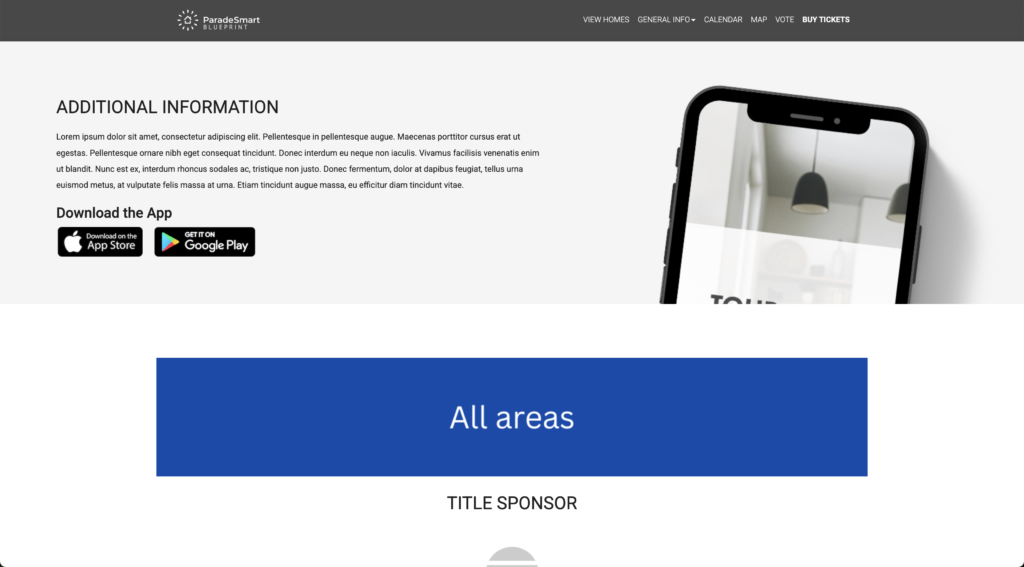
Website #
- 3440 – Homepage (Bottom)
- Displays above the footer on the website homepage.
- Displays above the footer on the website homepage.
- 3441 – Homes List (Top)
- Appears at the top of the page that lists all your homes.
- Appears at the top of the page that lists all your homes.
- 3442 – Homes List (Bottom)
- Appears at the bottom of the page that lists all your homes, directly above the footer.
- Appears at the bottom of the page that lists all your homes, directly above the footer.
- 3443 – Static Page (Top)
- Top of any static page shown in the app (Static pages are extra pages created in the “App & Web Content” section of the manager).
- Top of any static page shown in the app (Static pages are extra pages created in the “App & Web Content” section of the manager).
- 3444 – Static Page (Bottom)
- Bottom of a static page shown in the app, directly above the footer. (Static pages are extra pages created in the “App & Web Content” section of the manager).
- Bottom of a static page shown in the app, directly above the footer. (Static pages are extra pages created in the “App & Web Content” section of the manager).
- 3454 – Home Detail (Top)
- Top of an individual home’s detail page on the website.
- Top of an individual home’s detail page on the website.
- 3455 – Home Detail (Bottom)
- Bottom of an individual home’s detail page on the website, directly above the footer.
App #
- 3445 – App Header (Top)
- Banner at the top of almost every app screen – this is the most visible location.
- Banner at the top of almost every app screen – this is the most visible location.
- 3446 – Static Page (Top)
- Top of any static page shown in the app (Static pages are extra pages created in the “App & Web Content” section of the manager).
- Top of any static page shown in the app (Static pages are extra pages created in the “App & Web Content” section of the manager).
- 3447 – Static Page (Bottom)
- Bottom of any static page shown in the app (Static pages are extra pages created in the “App & Web Content” section of the manager).
- Bottom of any static page shown in the app (Static pages are extra pages created in the “App & Web Content” section of the manager).
- 3448 – Homes List (Top)
- Top of the homes list view in the app (directly under the app header location).
- Top of the homes list view in the app (directly under the app header location).
- 3449 – Homes List (In Between)
- Ads shown between every 4 homes in the app’s list view (the grid view will show no in-between ads).
- Ads shown between every 4 homes in the app’s list view (the grid view will show no in-between ads).
- 3450 – Homes List (Bottom)
- Appears at the bottom of the homes list in the app (not shown in grid view).
- Appears at the bottom of the homes list in the app (not shown in grid view).
- 3451 – Home Detail (Top)
- Top of an individual home’s detail view in the app.
- Top of an individual home’s detail view in the app.
- 3452 – Home Detail (Bottom)
- Bottom of an individual home’s detail view in the app


