
Table of Contents
Any client can add Homes individually or upload a CSV File of home information.
Prepare Your Spreadsheet #
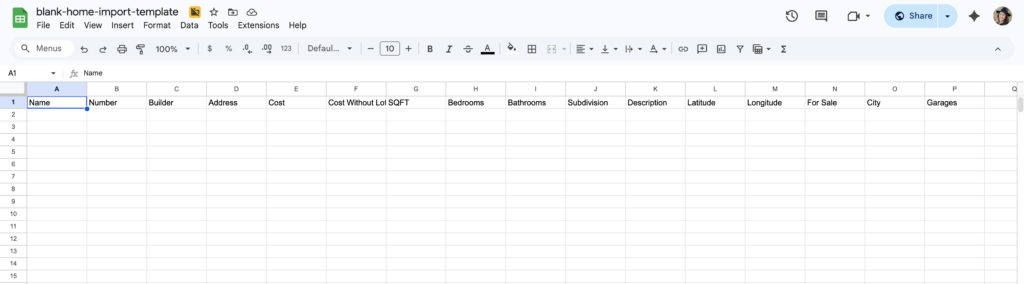
Prepare a CSV file in excel, sheets, or google sheets. Make sure to save as a .CSV file. You can also make a copy of our template here.
Use the top columns any or all of these fields listed below. The first three are required.
Make sure to name them the same exact title, not a variation of these titles!
- Name
- Whatever you want the home to be called, title of home
- Number
- Order in list
- Builder
- Use the same name as the builder already in the paradesmart system
- Address
- However you want to write the address
- Cost
- Only use numbers. No $, commas or periods
- Cost Without lot
- Only use numbers. No $, commas or periods
- SQFT
- Only use numbers. No $, commas or periods
- Bedrooms
- Only use numbers. No $, commas or periods
- Bathrooms
- Only use numbers. No $, commas or periods
- Subdivision
- Write however you want
- Description
- Write however you want
- Latitude
- Use numbers, minus and or periods
- Longitude
- Use numbers, minus and or periods
- For Sale
- Write “True” or “False”
- City
- Write however you want
- Garages
- Use only numbers
Import Spreadsheet #
- Go to the ParadeSmart manager
- Click “Homes,” then click “Import” in the top right corner
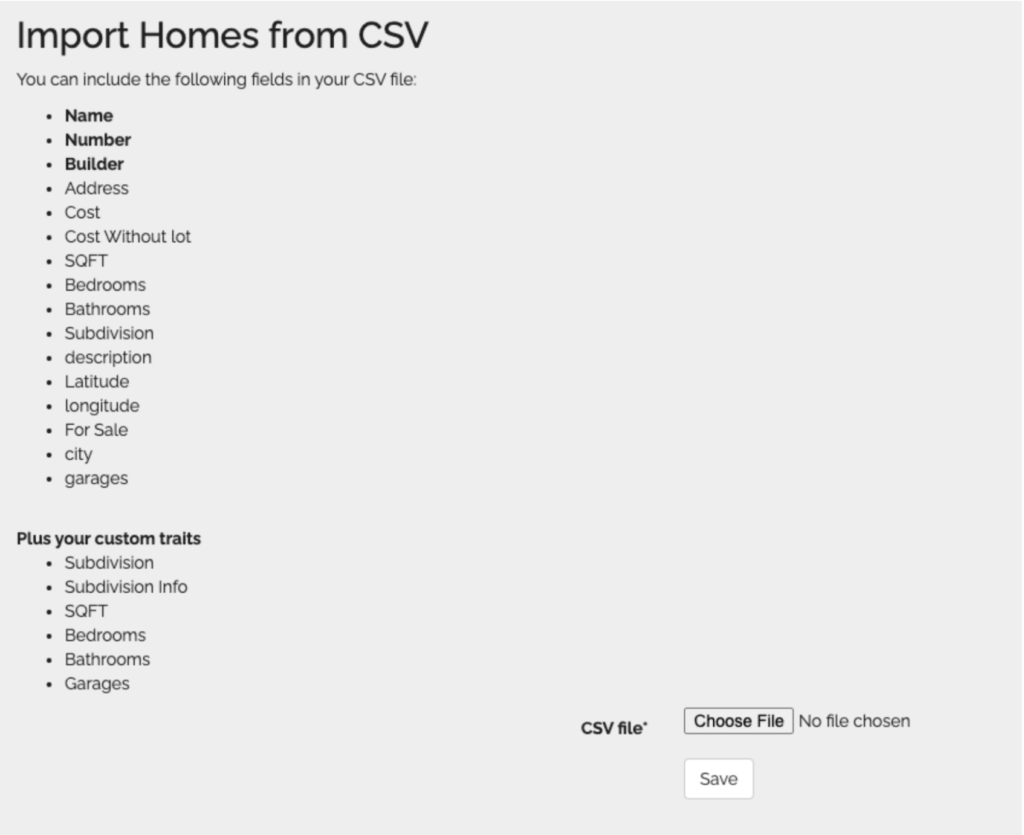
- Choose file and upload. It should take a minute to load
- If the upload fails or gives errors, there is probably something small and technical in your file that confuses the system. Check for the following:
- Spelling errors
- Differences between the column titles and how they’re listed
- Extra commas in numbers
- Try using zeros instead of blank cells
- Try deleting a column that gives you errors (enter that information manually after upload)
Note: If you upload again, it should not make duplicates, it will just add the information (that is assuming you have the name entered already).


